

PAYMENT VIA BANKING
This is the most convenient and efficient payment method for customers who have a bank account
and regularly make transactions via banking services.
| I. PAY WATER BILL VIA AUTO-DEBIT
Customers can register for the Auto-Debit service to automatically pay their water bills through BWACO’s partner banks in the Ba Ria – Vung Tau area. There are two registration options available:
|
|
II. PAY ONLINE VIA BANK MOBILE APP
Please follow these steps below:
Step 1: Log in to your bank’s mobile banking application.
Step 2: Select “Products/Services” and then choose “Bill Payment”.
Step 3: Select the “Water Bill” category and search for the service provider.
Step 4: Enter your Customer Code and verify the payment details (billing period and payment amount).
Step 5: Enter the OTP (One-Time Password) to confirm and complete the transaction.
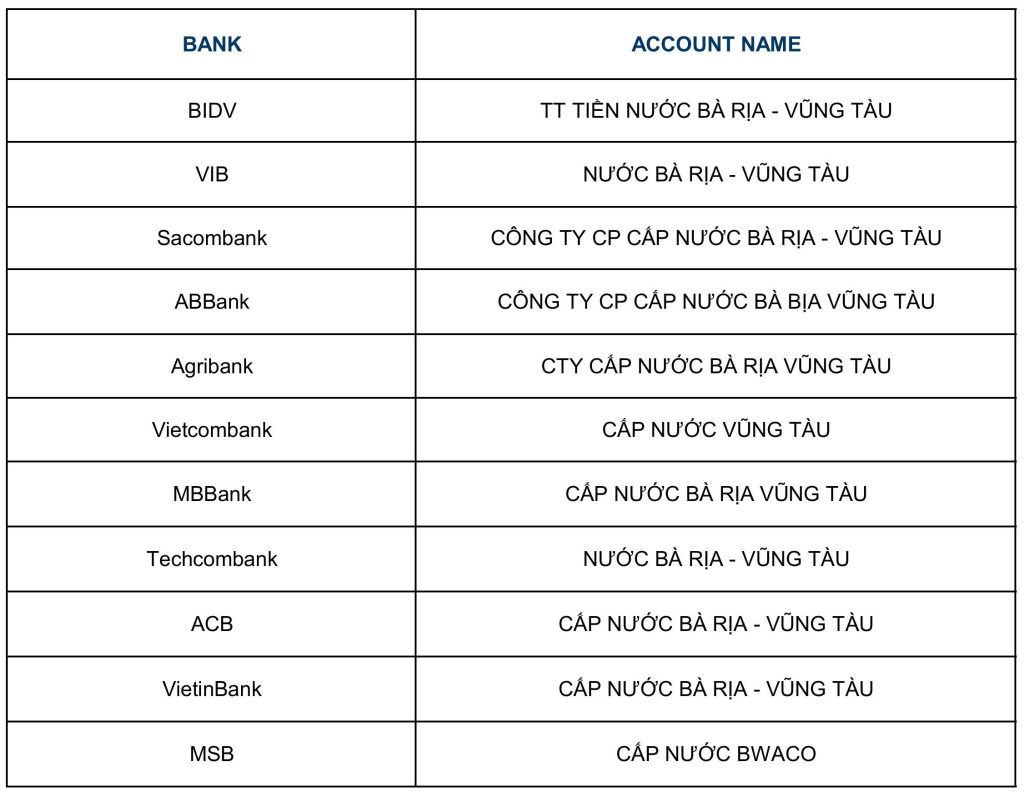
Note: The service provider name may vary depending on each bank’s system. Please select “BA RIA – VUNG TAU WATER SUPPLY JOINT STOCK COMPANY” or the designated provider name listed by your bank below:
III. PAY VIA BANK TRANSFER
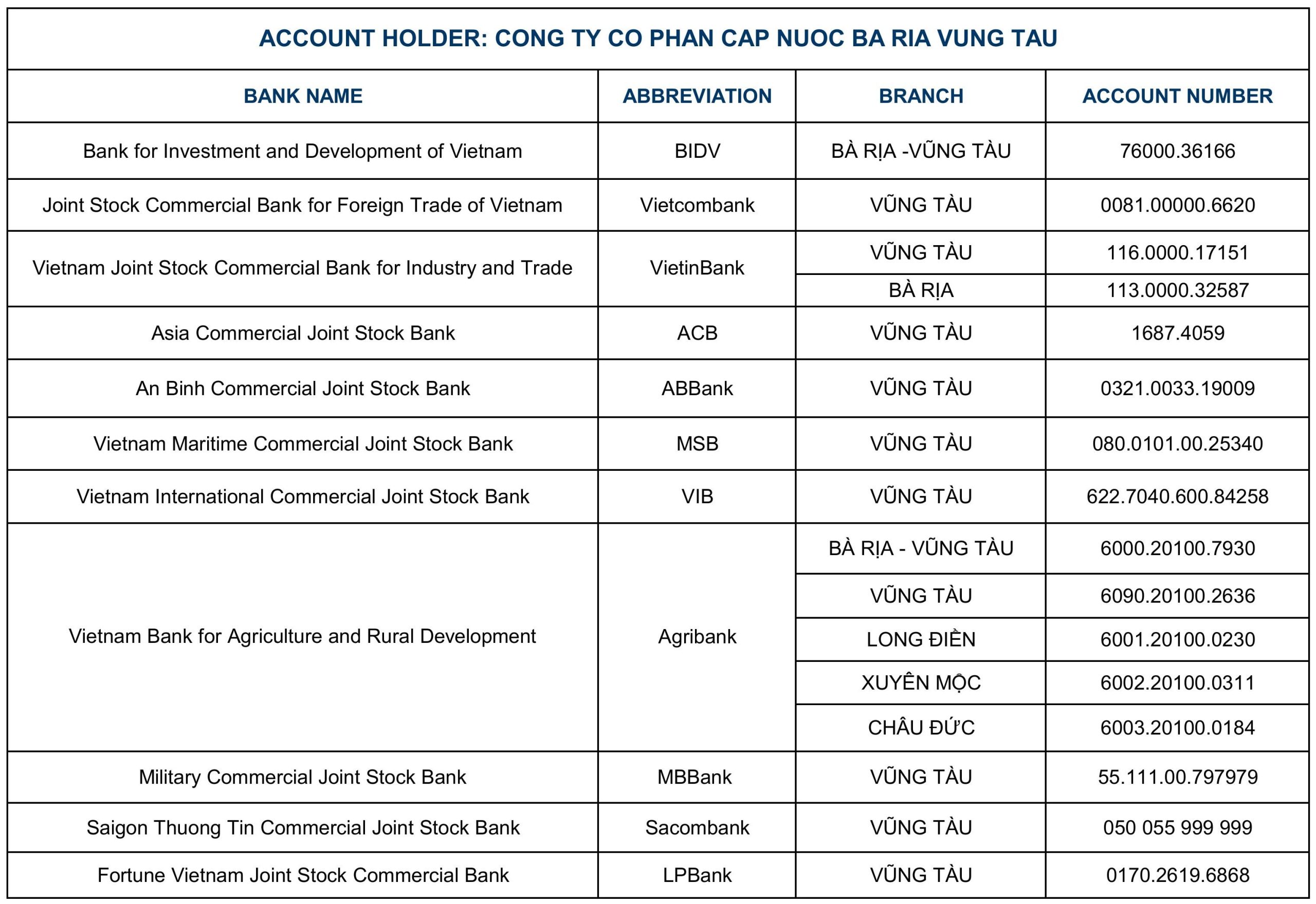
Customer can transfer their water bill payments directly to one of BWACO’s banks accounts listed below:
Note: In the transfer description, please state your Customer ID and Billing Period for the water bill.
Example: MAKH 1234567 THANH TOAN TIEN NUOC KY 6
In case you have any question or require further instructions on the payment process, please contact BWACO Customer Care Contact Center at : 1900 636 646
ONLINE PAYMENT
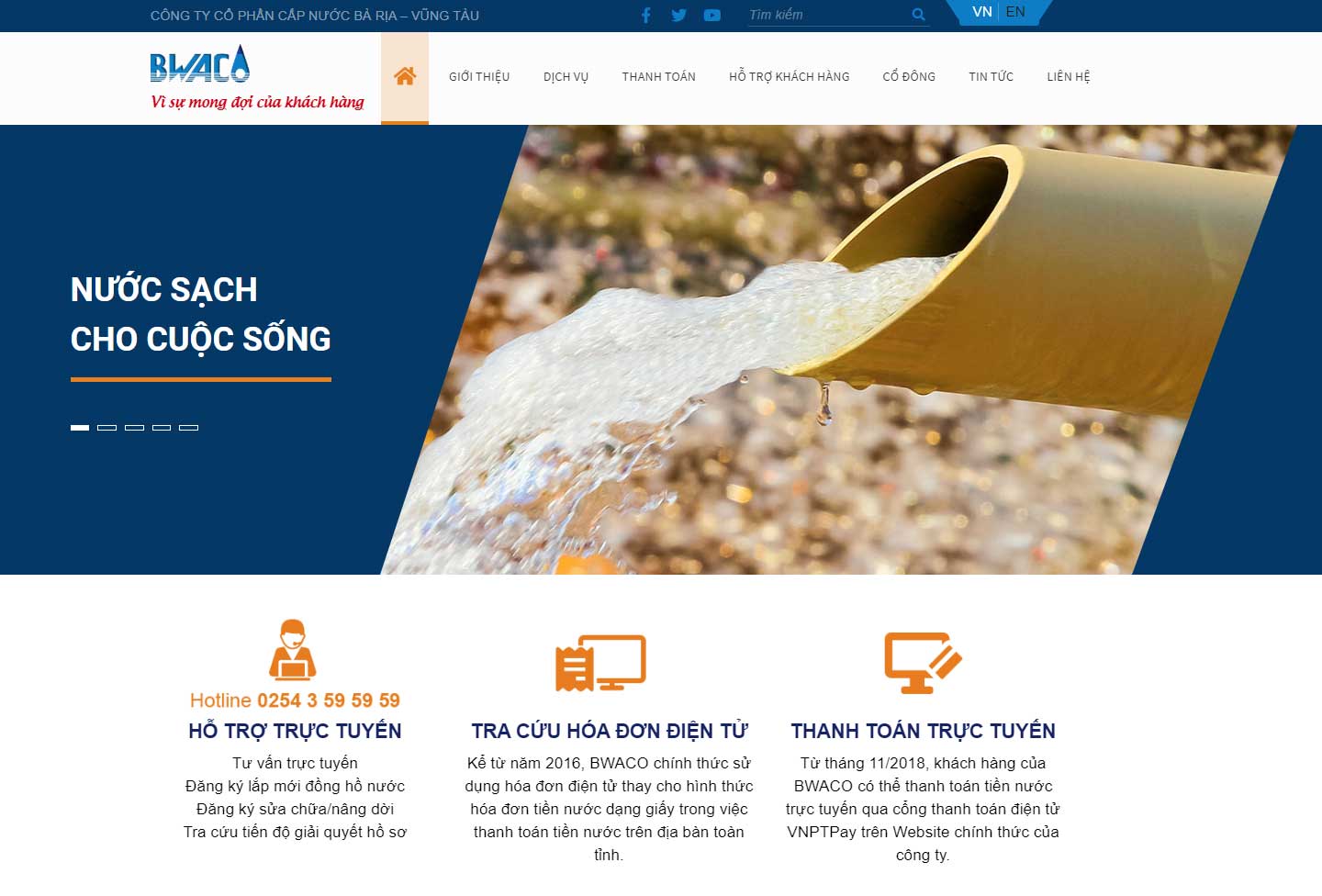
From November 2018, BWACO’s customers can pay for water bill online via VNPTPay electronic payment portal at Website:
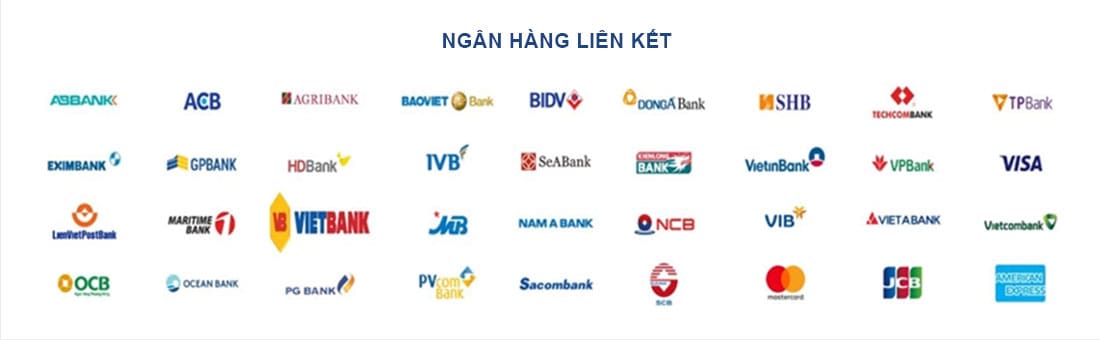
- Additional payment methods for customers who have accounts at banks that BWACO has not linked services with such as : Eximbank, Nam A Bank, NCB, Techcombank, VietBank, VPBank, OCB, Oceanbank, TPBank, HDBank, Dong A Bank, SCB, SHB, Bao Viet Bank, GPBank, Kien Long Bank, PGBank, Pvcom Bank, SeaBank, Viet A Bank, VRB …. The service fee is paid by BWACO and is completely free.
-
VNPTPay online payment gateway has a network connecting with more than 30 domestic banks and 4 international card organizations (Visa / Mastercard / JCB / American Express).
- The steps for making a payment are also simple and easy to handle, only need to remember the customer code (in the message, in the water bill, or contact the Customer Service Center of BWACO 1900 636 646 for assistance).
- Thank you for your cooperation. Please see detailed payment instructions below :
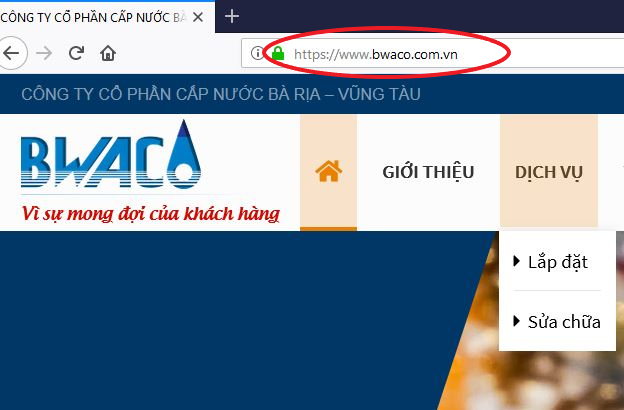
Step 1 : Access to website www.bwaco.com.vn
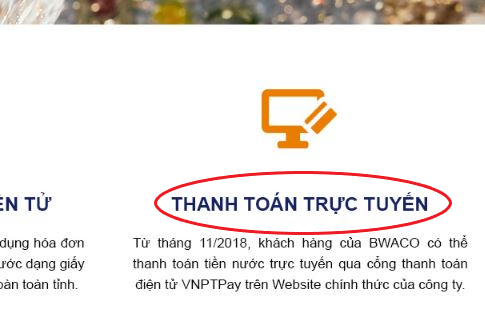
Step 2 : Choose Online Payment
Step 3 : Enter Customer Code to look up for your water bill

Step 4 : Check the amount of water bill and press Pay button

Step 5 : Customer choose form of payment accordingly (domestic or international)

Step 6 : List of banks with linked service

Step 7 : After choosing the bank, press Pay button

Step 8 : Fill in information as required.

Step 9 : The payment is completed !

MOMO
Instructions for installing the MOMO application
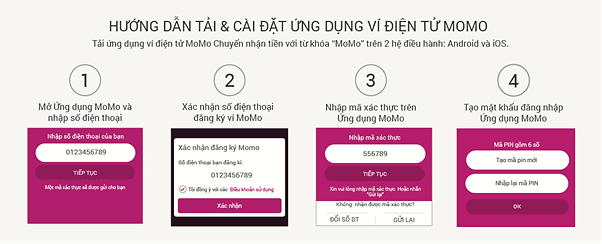
To make a payment, customers only need to top up MoMo wallet through a direct affiliate bank (VCB, VPBank, OCB, Sacombank, Eximbank, ACB, TPBank, BIDV, Agribank, VIB, Vietinbank, SCB, Shihanbank) or indirectly through all banks.
Instructions for water bill payment
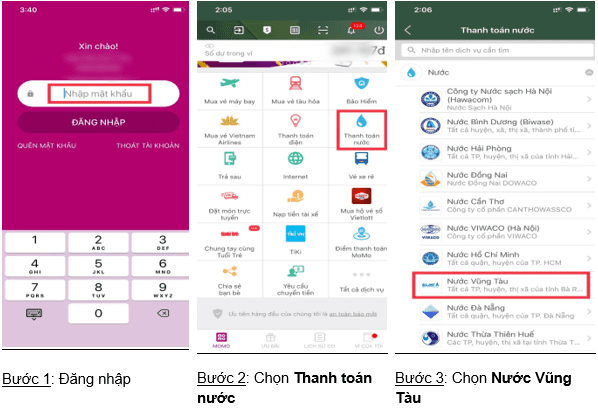
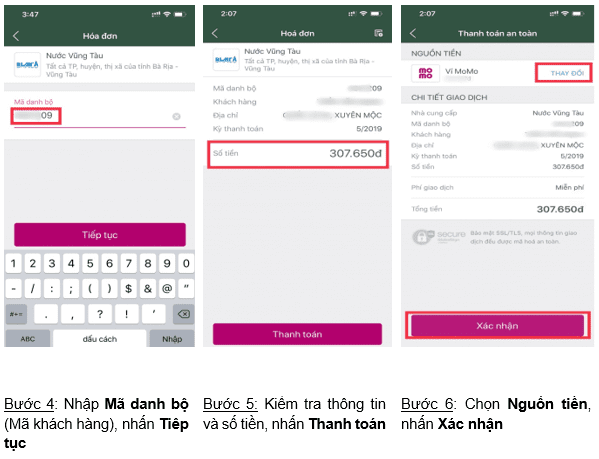
PAYOO
PAYOO WEBSITE
Step 1: Access to website :www.paybill.com.vn or www.payoo.vn. Chọn Choose Pay bill.
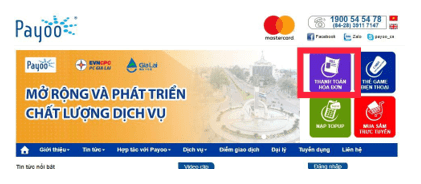
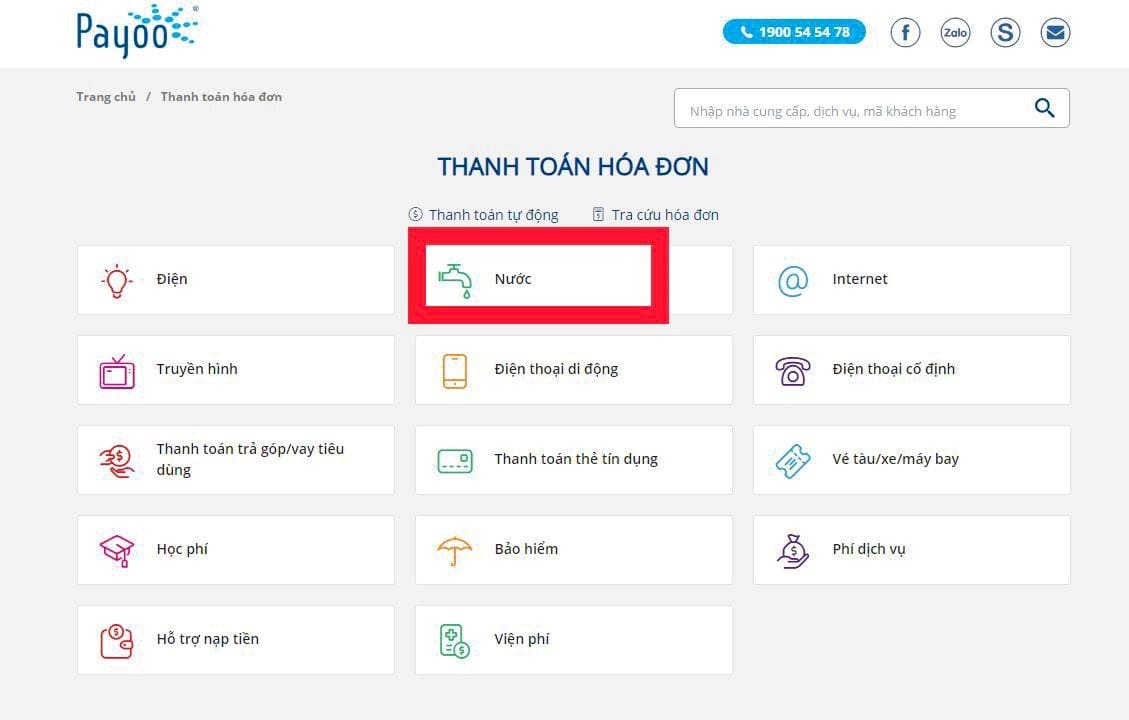
Step 2: Choose Water section and BWACO supplier
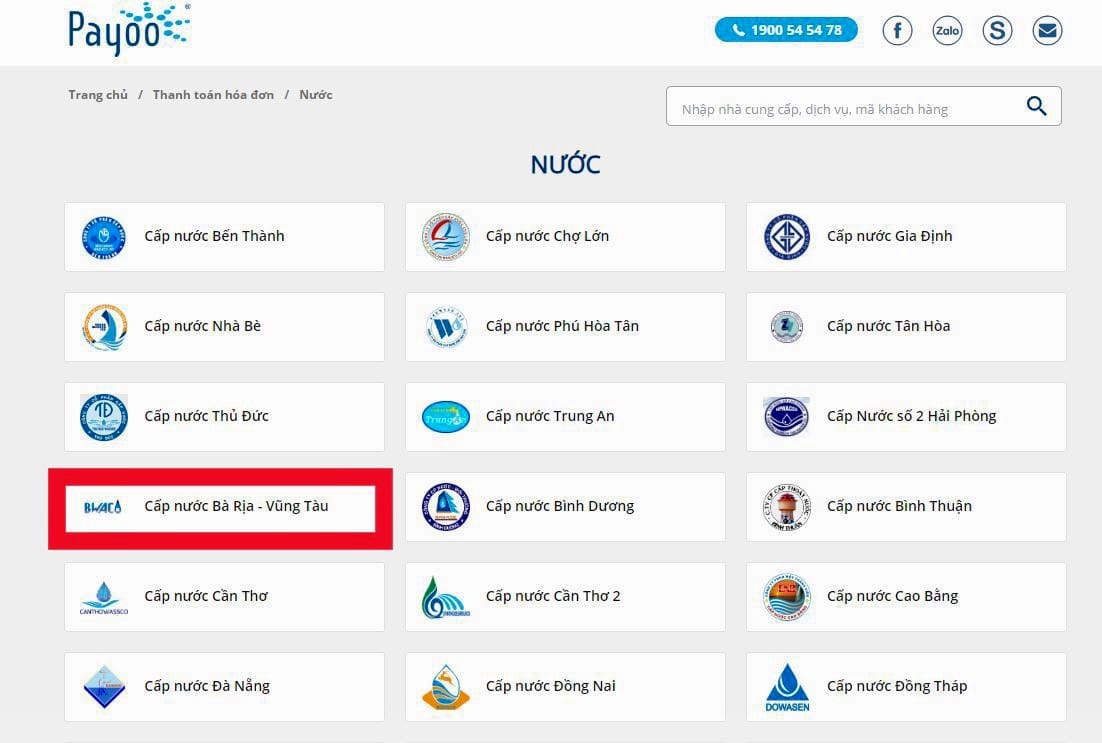
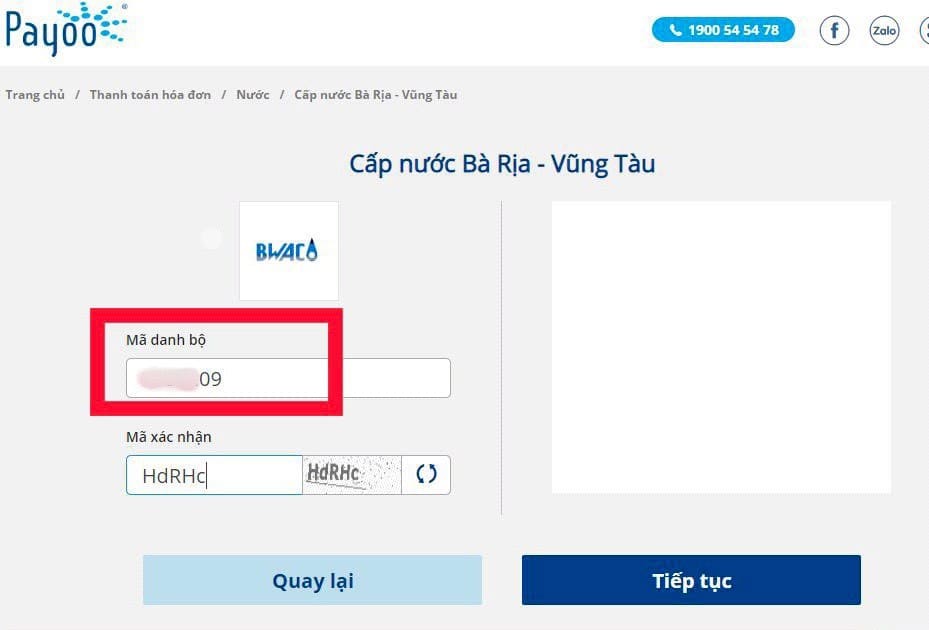
Step 3: Enter Customer Code (Customer Code) and Confirmation Code. Press Continue
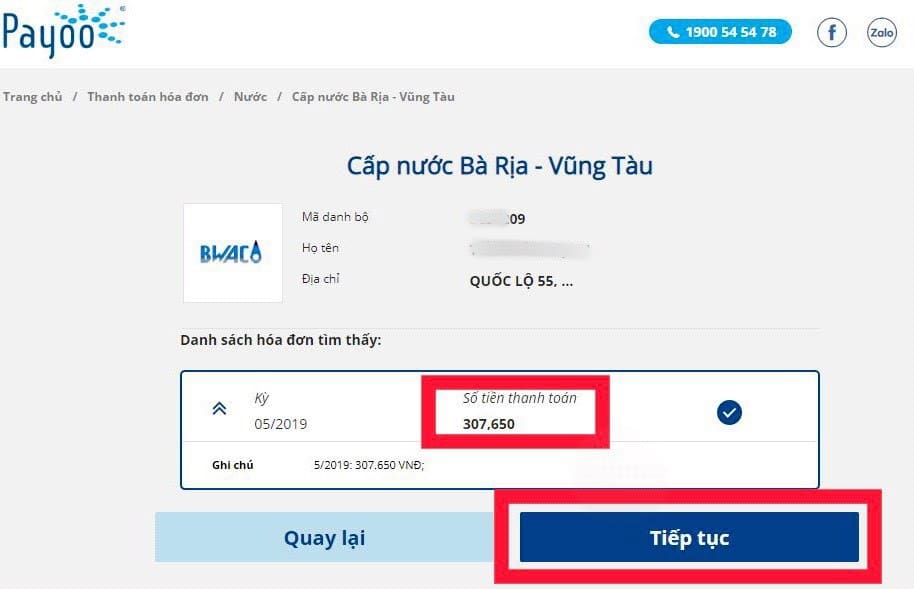
Step 4: Check information and amount of payment. Press Continue
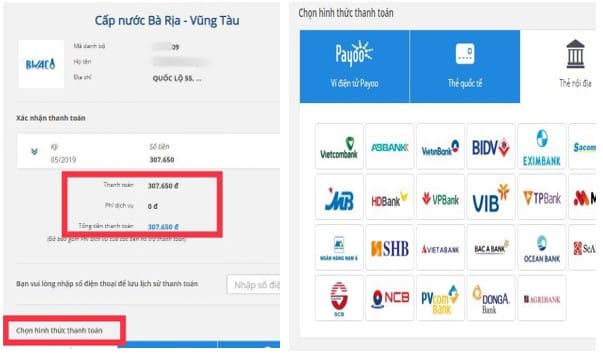
Step 5: Choose Form of payment and proceed to payment
E-WALLET PAYOO
Step 1: Sign in to Electronic Wallet account, choose Pay bill
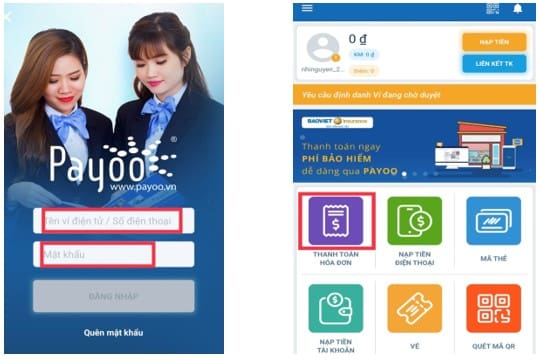
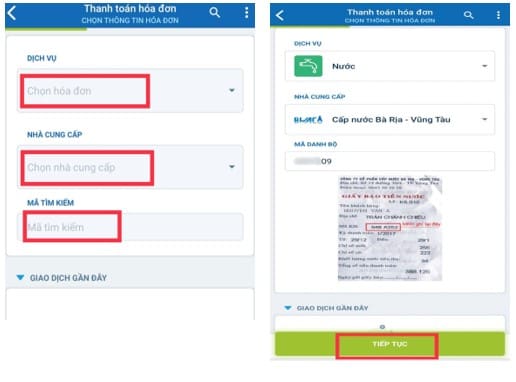
Step 2: Choose Service, Supplier and Customer Code (Customer Code,), press Continue
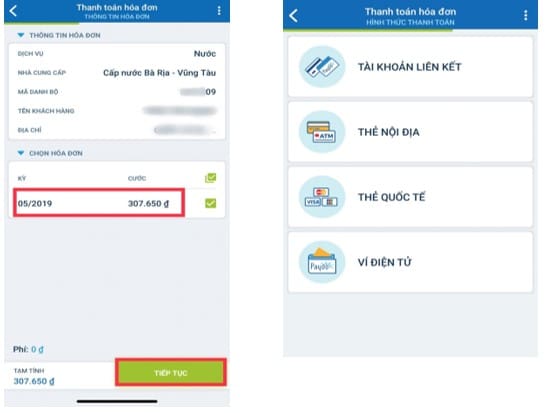
Step 3: Check information, choose Form of payment and proceed to payment
VNPAY
Payment through website
Step 1: Customer sign in to website https://www.vban.vn/ to make payment.

Step 2: Choose “Pay bill” function, then choose “”Pay Water bill””.
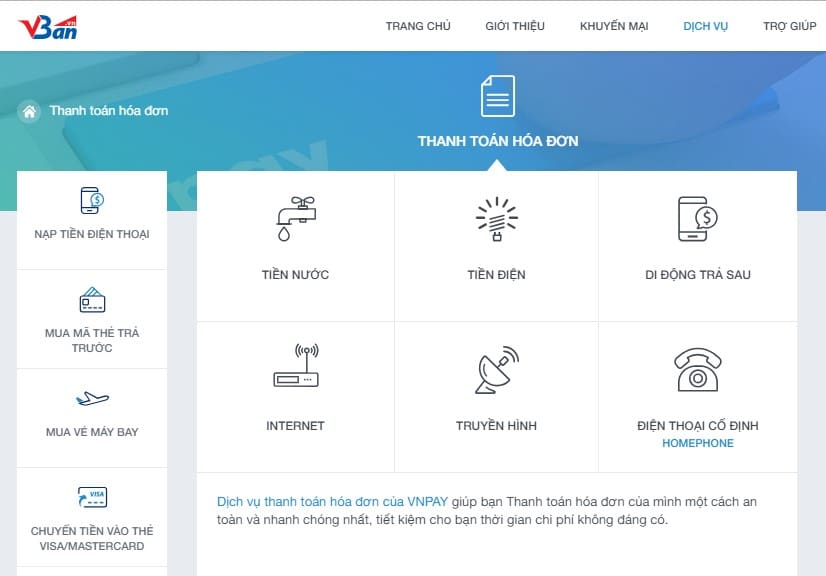
Step 3: On the payment screen, please select and enter all payment information as follows: Supplier, Customer Code (IDKH), phone number and press “Continue”
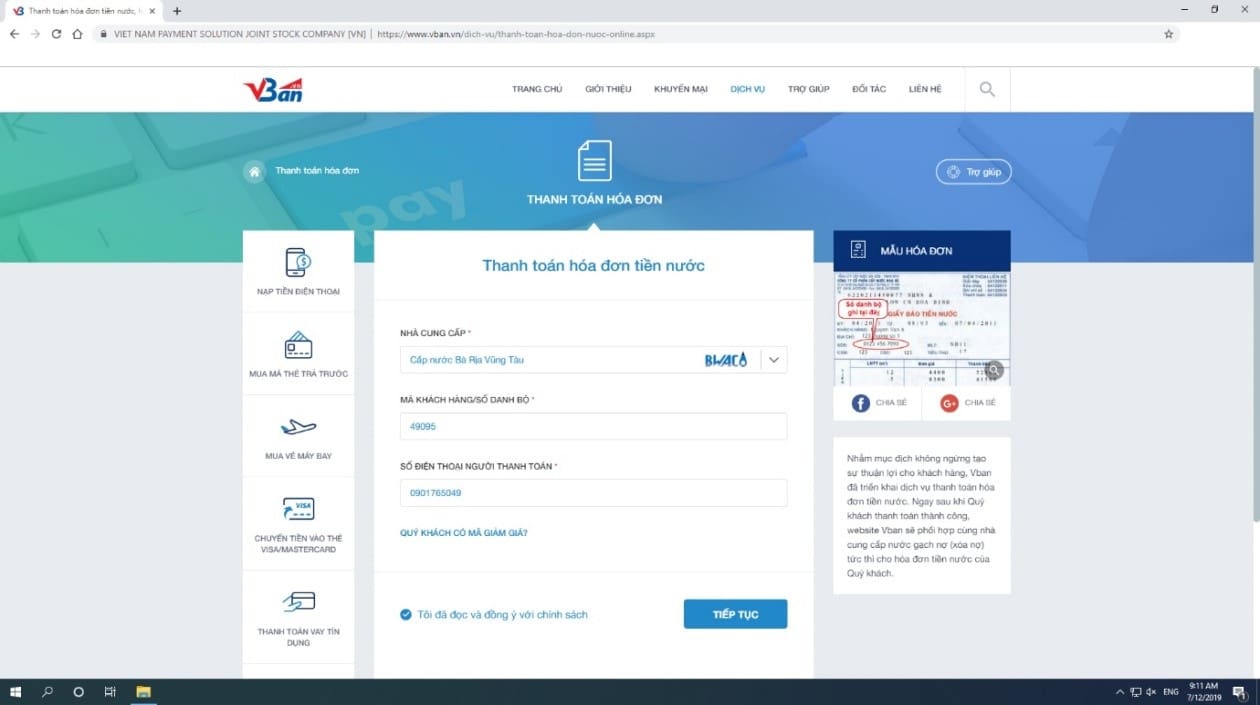
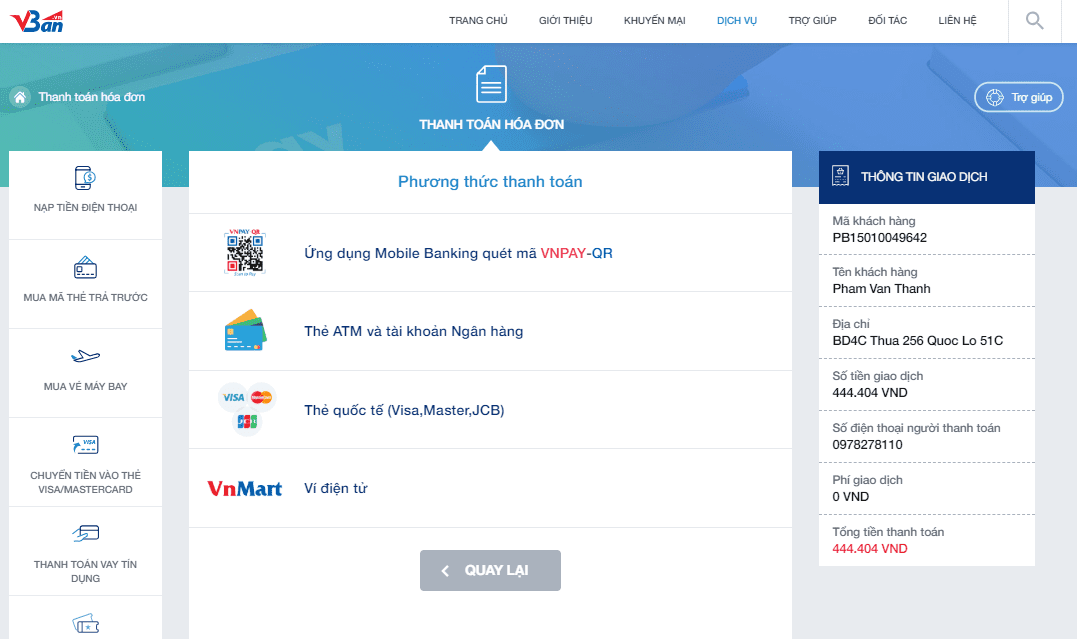
Step 4: Choose “Form of payment” with appropriate bank.
BANKPLUS VIETTEL
This method only applies to customers using Viettel mobile network.
Step 1: Log in to the application, choose Water Bill section
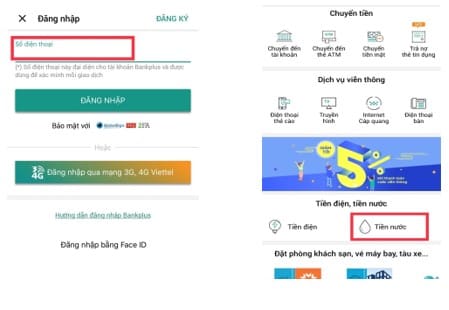
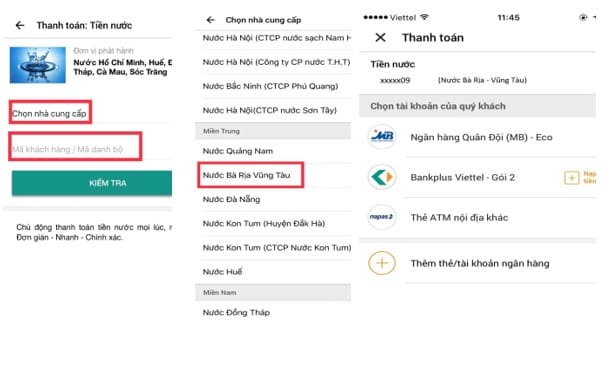
Step 2: 2.1. Choose Supplier, enter Customer Code/ Customer Code, press Check
2.2. Check information, choose Form of payment and proceed to payment
PAYMENT VIA ASSOCIATED COLLECTION POINTS
CONVENIENCE STORES
- Currently, BWACO has cooperated with nearly 100 convenience stores in the province : Winmart, FamilyMart, Circle K+, Guardian, Mobile World, Green Electronics, FPT, Viettel, BKC… to pay water bill. Especially some of the convenience stores above are opening 24/24h to create favorable conditions for customers with busy lifestyle.

- Customers can search for the closest store to come and pay the bill. Please see the attached file for the list of store addresses.
Attached filesLIST OF WATER PAYMENT COLLECTION POINTS
- Please note that customers need to provide the Customer Code or Notice/message of water bill to the staff in order to assure the accuracy of billing information.
- After payment, if you need electronic invoices, please access to website : http://www.bwaco.com.vn to download and use.
TRANSACTION COUNTERS AT BWACO / POST OFFICE/ BANKS
- In addition to the above convenience stores, at Our company enterprises, and branches, as well as Bank and Post branches in Ba Ria-Vung Tau province there are payment counters. Customers can directly come and pay for water bill at these locations.
- Here are the addresses of BWACO’s transaction counters :
Vung Tau area: VUNG TAU WATER SUPPLY ENTERPRISE
Address: No. 359 Nguyen An Ninh Street – Tam Thang Ward – Ho Chi Minh City
Ba Ria area: BA RIA WATER SUPPLY ENTERPRISE
Address: No.4 Dien Bien Phu Street – Ba Ria Ward – Ho Chi Minh City
Long Dien area: LONG DIEN WATER SUPPLY ENTERPRISE
Address: 170 Vo Thi Sau – Long Hai Commune – Ho Chi Minh City
Phuoc Buu Water Plan
Address: 1 Nguyen Van Linh Street – Ho Tram Commune – Ho Chi Minh City
Ngai Giao Water Plan
Address: Thach Long Hamlet – Kim Long Commune – Ho Chi Minh City
- For greater convenience of information searching, please provide your Customer Code or Notice/Message of water bill to the tellers.